
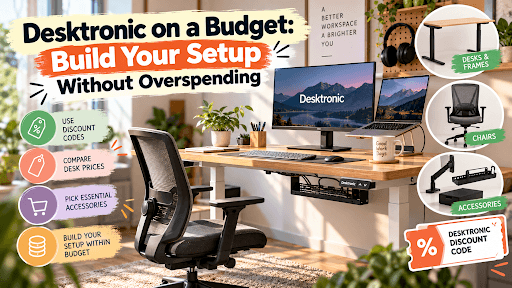
Build your setup without the $1,100 surprise
Here’s the trap most people fall into. They budget $450 for a standing desk, then check out at $1,100 after adding a chair, a monitor arm and three “must-have” accessories.
You don’t need to do that. You can get a solid sit-stand setup from Desktronic for a lot less if you buy in the right order and reuse what you already own. Pair that with a Desktronic discount code, and you’ll keep even more cash in your pocket.
Below, I’ll walk through real prices, which add-ons are worth it, and where people usually overspend.
How much does a Desktronic setup cost?
The Desktronic setup total cost depends on how much you buy at once. Here’s a quick Desktronic desk price comparison using sale prices listed on the US site in October 2026:
| Product | Sale price | Regular price | Best for |
|---|---|---|---|
| HomeOne desk frame | $389 | $549 | Reusing a desktop you already have |
| HomeOne desk | From $449 | $649 | Most home offices |
| HomePro desk frame | $439 | $599 | Big or heavy tops |
| HomePro desk | From $549 | $799 | Heavy setups, larger sizes |
| HomeMax desk | From $1,299 | $1,699 | Solid wood, premium look |
| SitOne chair | $349 | $549 | Budget ergonomic seating |
| SitPro chair | $499 | $699 | Maximum adjustability |
The good news: shipping is free in the US, orders usually arrive in 3–5 business days, and returns are free within 30 days. Desks and frames also come with up to a 15-year warranty.
Desktronic desk frame vs complete desk: which is better value?
This is where many buyers get surprised. The HomeOne frame costs $389, while the complete HomeOne desk starts at $449. That’s only a $60 difference for a brand-new tabletop.
So when does it make sense to reuse your desktop with a standing desk frame?
- Buy the frame if you already own a sturdy top in the right size. The HomeOne frame fits tops from about 43 x 24 inches up to 67 x 39 inches.
- Buy the complete desk if your current top is thin, warped, or an odd size. For $60 more, you get a matching, pre-drilled top.
My take: for most people, the complete desk offers better Desktronic desk value for money. Only go frame-only if your old top is genuinely good.
.png&w=3840&q=75&dpl=dpl_8hZTMSmunLn987zuieRuaazxrDym)
Choosing the right Desktronic desk size
Bigger isn’t always better, and it costs more. The HomeOne comes in 48x24", 54x28", and 60x30" sizes.
Best Desktronic desk size for small spaces
A 48x24" top works well in a bedroom corner or apartment with one laptop or monitor. One catch: the under-desk drawer doesn’t fit the 48x24" size.
Best size for most home offices
The 54x28" size is the sweet spot for one or two monitors. Choose 60x30" only if you spread out paperwork or use two big screens.
Desk or chair first for your home office?
If you can only buy one thing now, start with the desk. A height-adjustable desk changes how you work every day. If your current chair is still comfortable, keep it for now.
Buy the chair first only if your current one hurts your back. When you’re ready, the SitOne at $349 is the budget pick. To cover both on a tighter Desktronic desk and chair budget, buy them in different sale seasons instead of stretching for both at once.
Which Desktronic accessories are worth buying?
Not every add-on deserves a spot in your cart. Here’s how I’d split them.
Essential standing desk accessories (buy now)
- Cable tray ($45): Your desk moves up and down, so loose cables can snag or unplug. This one solves a real problem.
- Magnetic cable channel ($35): A cheaper, tool-free option if you only have a few cords.
Standing desk accessories to buy later
- Monitor arm (from $99): Great for neck comfort, but a stack of books works in the meantime.
- Desk drawer ($59): Nice to have, not urgent.
- Wobble stool (from $199): A fun extra, not a first-day need.
How to save money on Desktronic?
Here’s how to avoid overspending on a standing desk:
- Shop during sales. Desktronic runs frequent seasonal sales; today’s fall sale advertises up to 36% off.
- Use a verified Desktronic coupon code. Check the Couponro Desktronic page before checkout for the latest working offers.
- Bundle smart. Desktronic currently offers an extra 5% off certain chairs when bought with a desk.
- Ask for a price match. Desktronic offers a best price guarantee if you find the same model cheaper elsewhere.
- Reuse existing home office equipment. Keep your chair, lamp and monitor until something actually needs replacing.
Three budget Desktronic home office setups
These are some of the smartest home office upgrades on a budget. You start small and add only what you’ll use.
| Setup | What you buy | Total |
|---|---|---|
| Bare minimum | HomeOne frame + your old top | $389 |
| Smart starter | HomeOne desk + cable tray | $494 |
| Full upgrade | HomeOne 60x30" + SitOne + dual monitor arm + cable tray | $1,158 |
FAQ
What is the cheapest Desktronic standing desk?
The HomeOne desk is the cheapest complete option, starting at $449 on sale. The HomeOne frame alone costs $389.
Can I put my own desktop on a Desktronic frame?
Yes. Measure your top first, and make sure it falls within the frame’s recommended size range.
Does Desktronic charge for shipping in the US?
No. Shipping is free within the US, and returns are free within 30 days.
Which is better for a budget, HomeOne or HomePro?
HomeOne is better for most budgets. Choose HomePro only if you need a larger top, faster movement or a higher weight capacity.
How long is the Desktronic warranty?
Desks and frames have up to 15 years of coverage. Chairs have a 3-year warranty.